
Highpower Mail for Mac · Version 1.2
Email built for business
A fast, native Mac email app for people who live in their inbox at work. Rules, categories, follow-ups, calendar and contacts, with all your accounts in one place. Moving from Outlook? Bring your mail with you.
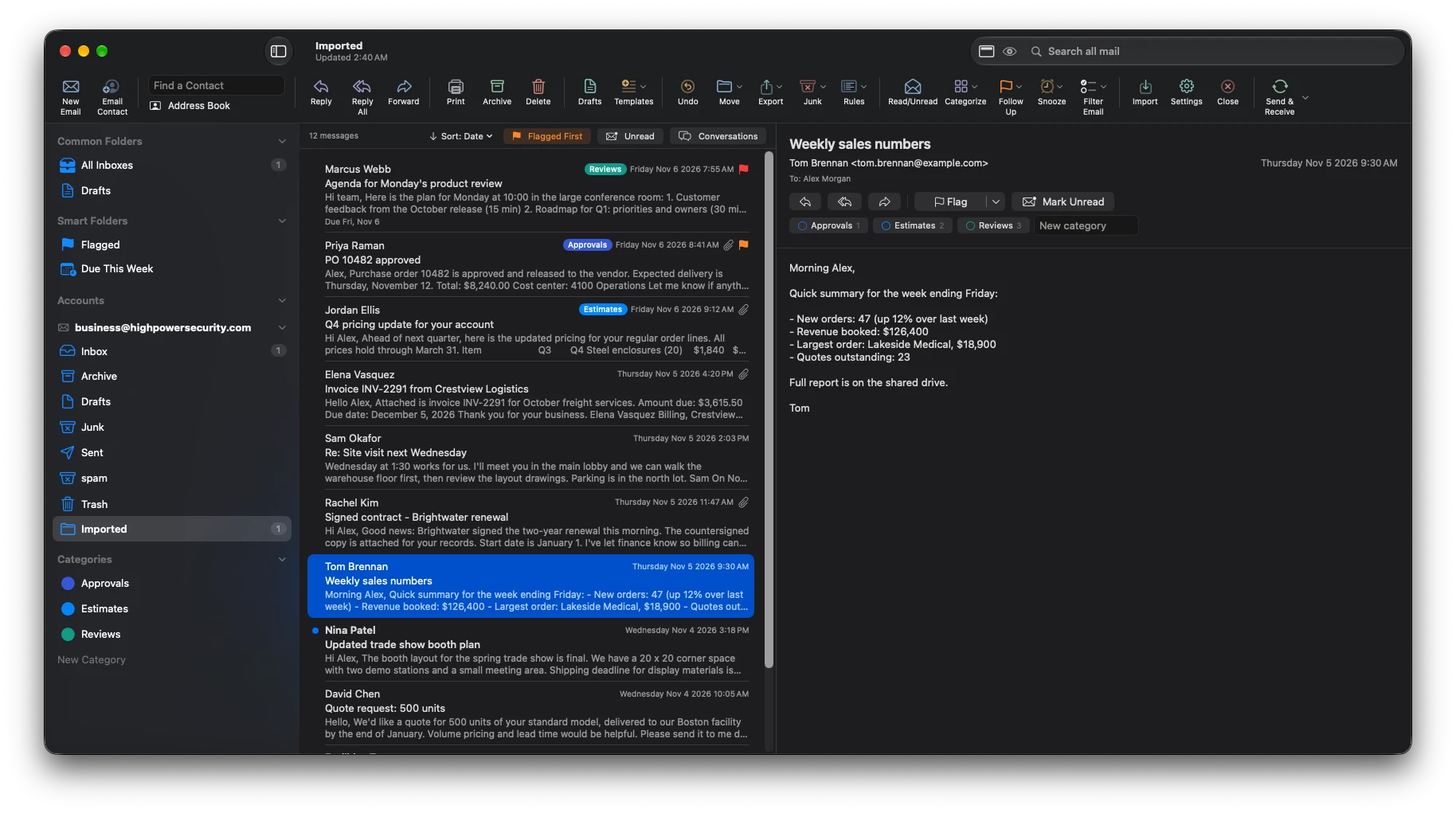
Built for a corporate workflow
Everything one click away
Reply, Forward, Move, Categorize, Follow Up and Snooze sit in a familiar ribbon, so you move through the day's mail with fewer clicks.
Categories and follow-ups
Color categories and follow-up flags with due dates keep clients, quotes and tasks in order. Smart folders show what's flagged and due this week.
Rules, on the server too
Rules file, flag and sort incoming mail. For Microsoft 365 they can run on the server, so they keep working on every device, even when your Mac is off.
One inbox
Microsoft 365, Gmail, iCloud Mail and any IMAP or POP3 server, with guided setup and a unified inbox across all of them.
Bring Outlook with you
Open an Outlook data file (.pst) and your mail folders, contacts, calendar and tasks come across, attachments and read state included.
Signed and encrypted mail
Sign and encrypt with S/MIME using the certificates already in your Keychain. Incoming mail shows who signed it and whether it was changed.
Calendar and To Do
Your Mac's calendars and reminders sit in tabs beside your mail. Accept a meeting invitation and it lands on your calendar.
Summaries on your Mac
On Macs with Apple Intelligence, Summarize gives you the gist of a long message and Draft Reply writes a first draft. Nothing leaves your Mac.
Key features
- Native app for Apple silicon Macs, with a familiar ribbon toolbar
- Microsoft 365, Outlook.com, Gmail, iCloud Mail, IMAP and POP3 in one unified inbox
- Color categories and follow-up flags with due dates; smart folders for flagged mail and items due this week
- Rules that sort, flag and file mail; Microsoft 365 rules can run on the server
- Send Later, Undo Send, Snooze, templates and per-account signatures
- Signed and encrypted email (S/MIME) with the certificates in your Mac's Keychain
- Calendar and To Do tabs that use your Mac's calendars and reminders
- Address book with contact groups, kept in step with Apple Contacts if you choose
- Import from Outlook for Windows (.pst): mail, contacts, calendar and tasks. Also Outlook for Mac (.olm), Apple Mail and mbox archives, vCard and CSV
- Quick Delete, Archive and Flag buttons on each message; color bubbles in the sidebar; reading pane on the right or at the bottom
- Summarize a message or draft a reply on Macs with Apple Intelligence, entirely on your Mac
- Back up and restore mail and settings; new mail is downloaded ahead of time so it opens instantly
Private by design
Highpower Mail collects no data. Mail travels directly between your Mac and your mail provider, passwords stay in your Mac's Keychain, and there are no accounts with us, no tracking and no ads. Summaries and reply drafts are made on your Mac by Apple Intelligence, so your messages are not sent anywhere for them. Read the privacy policy.
- Version
- 1.2 (new: faster new mail, smoother while mail downloads, light or dark messages, account colors, now also in Spanish, French, German, Portuguese and Chinese)
- Requires
- Mac with Apple silicon, macOS 14 Sonoma or later
- Accounts
- Microsoft 365 and Microsoft accounts, Gmail, iCloud Mail, IMAP, POP3
- Get it
- Mac App Store